ClipsSaver logo
  • Home
  • Instagram
    • Profile Downloader
    • Photo Downloader
    • Video Downloader
    • Story Downloader
    • Reels Downloader
    • Highlights Downloader
    • Profile Picture (DP)
    TikTok
    • Profile Downloader
    • Video Downloader
    • Photo Downloader
    • MP3 Downloader
    • Thumbnail Downloader
    • Playlist Downloader
    • Collection Downloader
    • Profile Picture
    • Transcript Generator
    • Hashtag Generator
    YouTube

    Coming Soon

    Facebook

    Coming Soon

  • About Us
  • Contact Us
ClipsSaver banner background

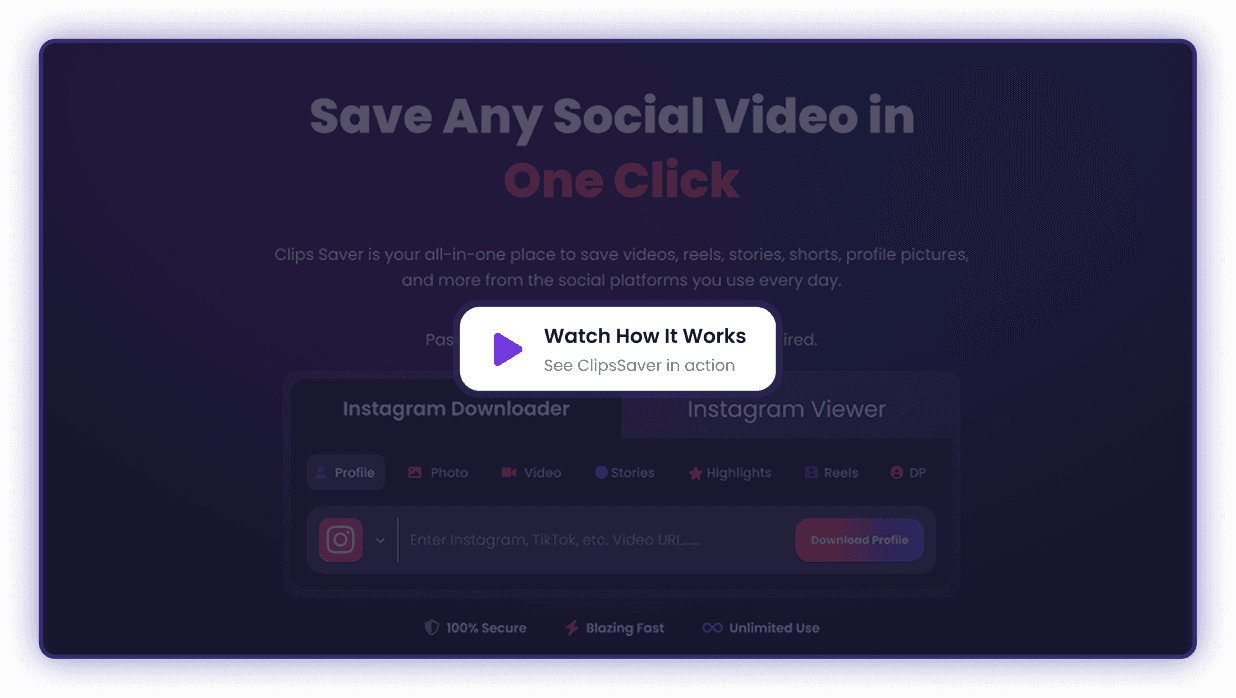
Instagram & TikTok
Video Downloader

Save Reels, Stories, Shorts & more from your favorite platforms — free, fast & no login needed.

Paste link → Download in HD → No login required.

Instagram profile downloader iconProfile
Instagram photo downloader iconPhoto
Instagram video downloader iconVideo
Instagram stories downloader iconStories
Instagram reels downloader iconReels
Instagram highlights downloader iconHighlights
Instagram profile picture downloader iconPFP

What Is ClipsSaver?

ClipsSaver is a browser-based social media video downloader that helps you save public videos, Reels, stories and Shorts from platforms like Instagram, TikTok and Facebook for personal offline viewing. Instead of using different sites or apps for each platform, you get one simple interface where you can:

  • Download Instagram Reels, stories and feed videos
  • Save TikTok clips
  • Save Facebook videos and reels
  • Use other supported platforms as they’re added over time
Viralscript illustration

All-in-One Social Media Downloader

Built for speed, simplicity, and clean downloads across platforms.

Quality

Multiple Platforms in One Place

Paste links from Instagram, TikTok, YouTube, Facebook and more as support grows.

tiktok

Browser-Based, No Login

Use ClipsSaver directly in your browser. You don’t need a ClipsSaver account or social media login.

posts

Original Quality Where Possible

Wherever the platform allows, ClipsSaver aims to keep the original quality so you can rewatch clips in crisp HD, use them on bigger screens, or review them later.

posts

Your Files Stay With You

Downloads are saved to your own device. You stay in control of what you keep, how long you store it, and how you organize it.

How ClipsSaver Works

Using ClipsSaver should feel almost as familiar as opening your favorite social app.

Step 1

Copy the link

  • Open Instagram, TikTok, Facebook, or another supported platform.
  • Go to the video, Reel, Short, story or post you want to save.
  • Use the share option to copy the link / URL.
copy
paste
Step 2

Paste into ClipsSaver

  • Open ClipsSaver in your browser.
  • Paste the copied link into the main download box on the homepage.
Step 3

Download to your device

  • Click the Download button
  • Once the video is processed, save the file to your phone, tablet or computer.
  • Organize it in your own folders and rewatch anytime even when you’re offline.
download

Key Features

Everything you need to save social media content, all in one place.

Add free

Secure & Private

We respect your privacy. No downloads are tracked or stored.

high quality

No Login Required

Start downloading right away with no sign-up or password.

fast processing

Original Quality Downloads

Save every photo and video in original quality (up to HD/4K when available)

Easy to use

Instant Processing

Get your downloads in seconds with no waiting.

multi formation

One-Click Simplicity

1-click download flow designed for speed and simplicity

secure

No Download Limits

Download for personal use without restrictive caps.

Easy to use

Works Everywhere

Works smoothly on mobile & desktop across all major browsers.

multi formation

All Content Types Supported

Download reels, stories, posts, carousels, and multiple posts in one go.

secure

100% Free to Use

Use ClipsSaver with no hidden costs or restrictive limits.

ClipsSaver background illustration

Who ClipsSaver Is For

ClipsSaver is built for anyone who wants to save and organize social content without juggling multiple tools.

Creators & Influencers

  • Save hooks, edits and trends for inspiration.
  • Build a private swipe file of content ideas.
copy
paste

Social Media Managers & Agencies

  • Keep winning ad creatives as references.
  • Collect examples to share with clients and teams.

Brands & Businesses

  • Save your own campaign content for backup.
  • Review competitors’ public content for research and strategy.
download
download

Educators & Learners

  • Download tutorials and explainers for offline learning.
  • Keep important videos handy for presentations or lessons.

Everyday Viewers

  • Save funny, useful or motivational videos you don’t want to lose.
  • Keep your favorite clips organized in your own storage, not just in an app feed.
copy
Instagram Logo

Frequently Asked Questions

Got questions about downloading social media videos? Find answers about supported platforms, quality options, and how ClipsSaver keeps your downloads simple and safe.

ClipsSaver's main downloading features are available at no cost. You can paste supported links and download files without creating an account or paying a subscription. If advanced or high-volume features are added in the future, everyday usage will still stay simple and accessible.
No. Your downloads are saved on your own device, not on ClipsSaver. The tool processes the URLs you provide, generates a downloadable file for you, and that's it. It doesn't create a public gallery or share a list of what you download.
Yes, ClipsSaver is mobile-friendly. You can: Copy a link from the social media app on your phone Switch to your preferred browser Paste the link into ClipsSaver Download the file to your device storage or camera roll That way, you can keep your favorite clips handy even when you're away from a desktop.
ClipsSaver supports popular social video links (like Reels/Shorts/clips). If a link isn't supported yet, you can request it and we'll prioritize it.
Not usually. Live streams and DRM-protected content often can't be downloaded due to platform restrictions.
No, you don't need to sign up or log in. ClipsSaver does not require: A ClipsSaver account Logging in with Instagram, TikTok or Facebook Just open the site, paste your link into the download box, and click Download.
Downloading social media videos is usually only allowed when you own the content or have permission to use it. Legality can depend on: Your country's laws Each platform's terms of service Whether you own the content or have explicit permission As a general guideline, it's safest to: Download content you created yourself Or content where the owner clearly allows personal download and offline use If you plan to reuse content publicly (for example, reposting, using in ads, or using in your own projects), always respect copyrights, check the platform's rules, and request permission when needed.
If you want to: Save the clips that actually inspire you Build a private library of ideas and references Rewatch educational content in your own time Keep your own social content backed up and organized …then this downloader is built for you. Paste your first link into the download box, click Download, and see how easy it is to save social media videos in seconds — from Reels and stories to profile media — all on your terms and for personal offline viewing.
ClipsSaver downloads the best available quality provided by the source link. If HD exists for that post, you'll get HD.
ClipsSaver focuses on downloading the video as provided by the platform. Altering or stripping platform logos or overlays can violate creator rights and platform policies.

Start Saving Your Favorite Social Media Clips

Whether it's Instagram Reels, TikTok videos, or Facebook clips—paste any link and download in seconds. No signup, no hassle.

Try ClipsSaver Now
Logo

Your all-in-one smart video tool. Download, save, and convert clips with fast, reliable technology.

  • Company
  • Blogs
  • About Us
  • Features
  • FAQ
  • Contact Us
  • Legal
  • Terms of Service
  • Privacy Policy
  • Cookie Policy
  • Disclaimer
  • Instagram Tools
  • Profile Downloader
  • Photo Downloader
  • Video Downloader
  • Story Downloader
  • Reels Downloader
  • Highlights Downloader
  • Profile Picture (DP)
  • TikTok Tools
  • Profile Downloader
  • Video Downloader
  • Photo Downloader
  • MP3 Downloader
  • Thumbnail Downloader
  • Playlist Downloader
  • Collection Downloader
  • Profile Picture
  • Transcript Generator
  • Hashtag Generator

DMCA Notice

ClipsSaver respects intellectual property rights and complies with the Digital Millennium Copyright Act (DMCA). We provide tools for downloading content for personal use only. Users are responsible for ensuring they have proper authorization to download content. If you believe your copyrighted work has been infringed, please contact us with a valid DMCA notice at support@clipssaver.com, and we will respond promptly to address your concerns.

Trademark Disclaimer

ClipsSaver is an independent online tool and is not affiliated with, endorsed by, sponsored by, or in any way officially connected to TikTok (ByteDance Ltd.), Instagram (Meta Platforms, Inc.), Facebook (Meta Platforms, Inc.), YouTube (Google LLC), or any of their subsidiaries or affiliates.

All product names, logos, brands, trademarks, and registered trademarks — including but not limited to TikTok®, Instagram®, Facebook®, YouTube®, and Meta® — are the property of their respective owners and are used here solely for identification purposes. Use of these names, logos, and brands does not imply endorsement or affiliation.

ClipsSaver provides tools for personal, non-commercial use only. Users are solely responsible for ensuring that their use of downloaded content complies with applicable laws and the terms of service of the respective platforms. For more information, please read our full disclaimer and terms of service.

© 2026 ClipsSaver. All rights reserved.